VR Systems Engineering: Multi-World Meta Quest Platform and Field Deployment
Maedcore architects a 9-environment VR platform on Meta Quest: scene optimisation, multi-world navigation, cross-artist asset pipeline, and field deployment.

Written by Eduardo Fuentevilla Blanco
Robotics Engineer at Maedcore · Robotics Engineer LinkedIn ↗
VR Systems Engineering: Multi-World Meta Quest Platform and Field Deployment
Executive summary: Maedcore served as VR systems integrator for a 9-environment Meta Quest deployment in an outdoor field context: environment performance optimisation for standalone hardware (no external PC), a custom multi-world navigation UX designed for first-time VR users, an asset integration pipeline for 3D content from 6 independent artists, and on-site technical deployment and real-time support management across public exhibition days. The project required solving the full stack of standalone VR engineering challenges — polygon budget management, texture streaming, locomotion design for outdoor use — while integrating externally authored assets that arrived with inconsistent technical specifications. The deployment context (outdoor, ambient light variable, no controlled infrastructure) added field engineering constraints typical of industrial VR deployments. This case study demonstrates Maedcore’s capability as a VR systems integrator for any organisation building multi-environment XR applications on standalone headsets.
The Engineering Scope
Building a VR application for 9 environments authored by 6 independent artists on a standalone headset involves a set of compounding technical challenges that distinguish this from a single-environment, single-author VR project:
Standalone hardware constraints. Meta Quest runs on a mobile-class processor with no external GPU. Every environment must hit a sustained 72 fps frame rate target to prevent motion sickness — the primary failure mode for VR deployments. This target is non-negotiable: a VR application that drops frames is unusable regardless of content quality.
Cross-artist asset integration. Six independent artists delivered 3D environments built with different tools, different poly counts, different texture formats, and different performance profiles. Maedcore’s integration pipeline needed to ingest assets in multiple formats, assess them against performance targets, and apply optimisation without altering the artistic intent.
Multi-world navigation for non-technical users. The deployment was open to the general public, including people who had never used a VR headset. The navigation UX had to let any visitor — regardless of age or technical background — switch between 9 virtual worlds without assistance from a technical operator.
Outdoor field deployment. The exhibition ran in the gardens of CAEaCLAVELES in Asturias — an outdoor venue with variable ambient light, no guaranteed power infrastructure, and no controlled temperature environment for the headsets. Field engineering included battery management plans, device charging logistics, and headset provisioning workflows.
Environment Performance Optimisation
Each of the 9 environments underwent a standardised performance audit and optimisation workflow before integration:
Asset Audit
Each incoming environment was profiled for:
- Triangle count — target: < 500k triangles per environment at 72 fps on Meta Quest.
- Draw call count — target: < 150 draw calls per frame (Quest GPU is draw-call bound at higher counts).
- Texture memory — target: < 1.5 GB total VRAM per environment.
- Shader complexity — identify and replace real-time shadow-casting shaders with baked alternatives.
Most environments exceeded at least one target on initial delivery.
Optimisation Techniques Applied
For each environment, the appropriate optimisation strategy was selected based on the primary bottleneck:
Mesh optimisation: Over-detailed meshes were decimated using adaptive mesh reduction — preserving silhouette fidelity from the typical viewing distance while reducing triangle count by 40–70% on high-poly objects.
LOD (Level of Detail) system: Distance-triggered LOD swaps were added for large environments where the player’s viewing distance to objects varies significantly. Far objects render at low LOD; close objects render at full detail.
Texture atlasing and compression: Multiple small textures were combined into texture atlases to reduce draw calls. All textures were compressed to ASTC format — the native compression format for Quest’s Adreno GPU — achieving 60–75% VRAM reduction versus uncompressed source assets.
Baked lighting: Real-time dynamic lighting was converted to pre-baked lightmaps for all static geometry, eliminating GPU lighting overhead at runtime. Only dynamic elements (player controller, interactive objects) retained real-time lighting.
Occlusion culling: For environments with enclosed spaces, camera-frustum and occlusion culling was configured to ensure only geometry visible to the player is rendered each frame.
Multi-World Navigation UX
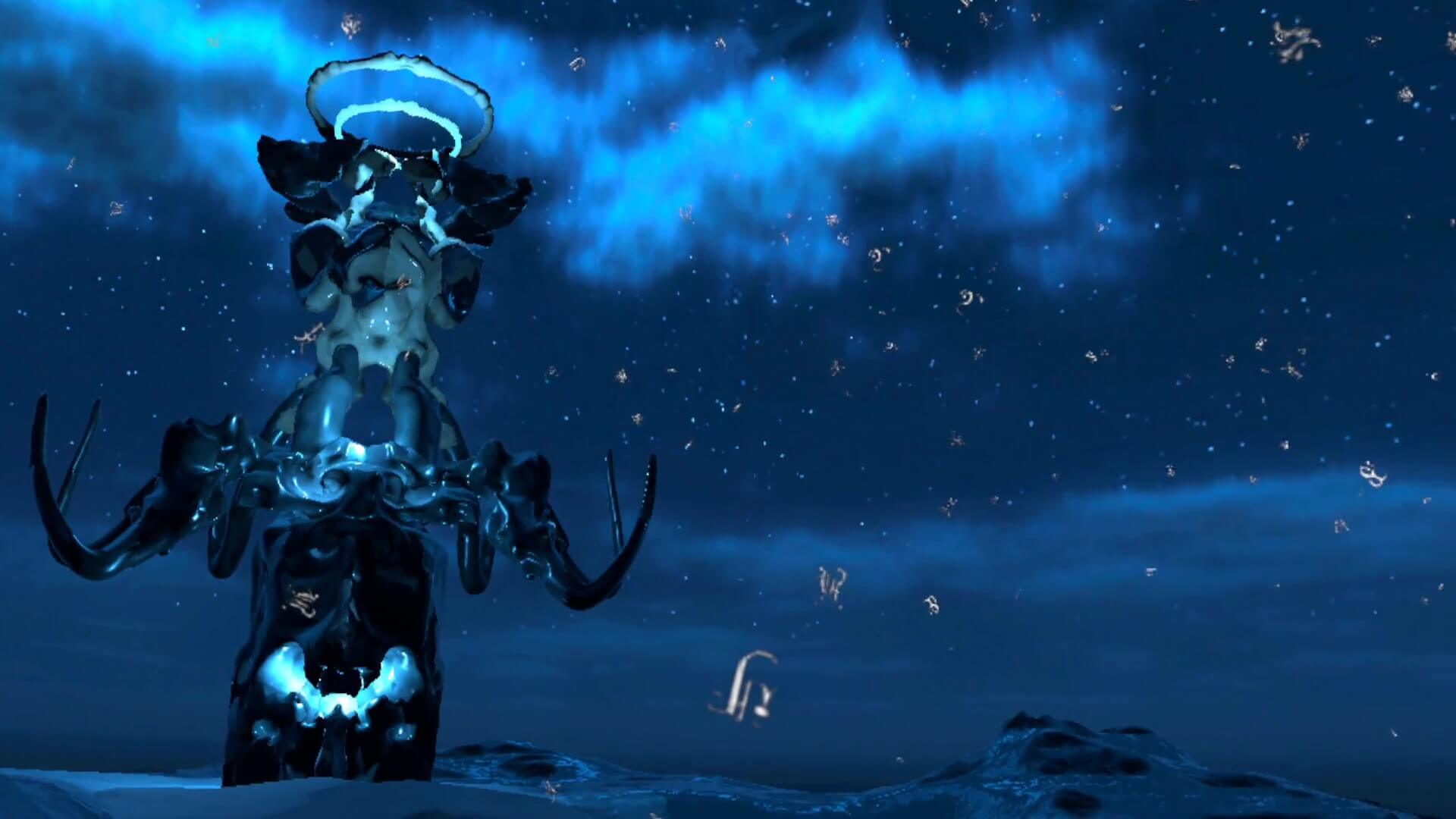
The navigation system had to work for visitors with zero VR experience. The design constraints:
- No text input — Quest controllers have no keyboard; the interface must be entirely gaze and button-based.
- No abstract menus — a grid of environment thumbnails is not legible to a first-time user; the interface must be visually intuitive.
- Operator-free transitions — a visitor must be able to navigate between worlds without removing the headset or asking for help.
- Session length management — after a configurable time limit, the system should prompt the visitor to end or continue, allowing the next visitor to begin.
The solution: a floating “transit hub” environment — a neutral VR space the visitor always returns to between worlds. From the hub, each world is represented as a portal (a framed opening into the world’s visual environment), positioned spatially around the player. The visitor gazes at a portal for 3 seconds to trigger a fade transition into that world. The gaze-and-hold interaction was chosen because it requires no controller dexterity and provides clear visual feedback.
Session management is handled by the hub: after the configured session time, the hub environment auto-loads and prompts the visitor with a simple yes/no return-to-start screen.
Asset Integration Pipeline
Six independent artists delivered 3D content in five different source formats (Blender, Unity, Maya, Unreal, and OBJ exports). Maedcore built an integration pipeline that:
- Format standardisation — all assets converted to a single runtime format (Unity prefabs) via automated scripts where possible, manual re-import where not.
- Performance validation gate — automated profiling of each imported environment against the polygon, draw call, and VRAM budgets. Environments that failed the gate were flagged with specific optimisation tasks.
- Material re-mapping — artist materials were remapped to Quest-compatible shader variants (URP mobile shaders) without altering surface colour, roughness, or emissive properties.
- Lightmap baking — each environment’s static lighting was baked using progressive lightmapping with a resolution calibrated for the environment’s physical scale.
- Final integration test — each environment was loaded on a physical Meta Quest device and frame-rate profiled over a 5-minute simulated session to verify sustained 72 fps performance.
Field Deployment Engineering
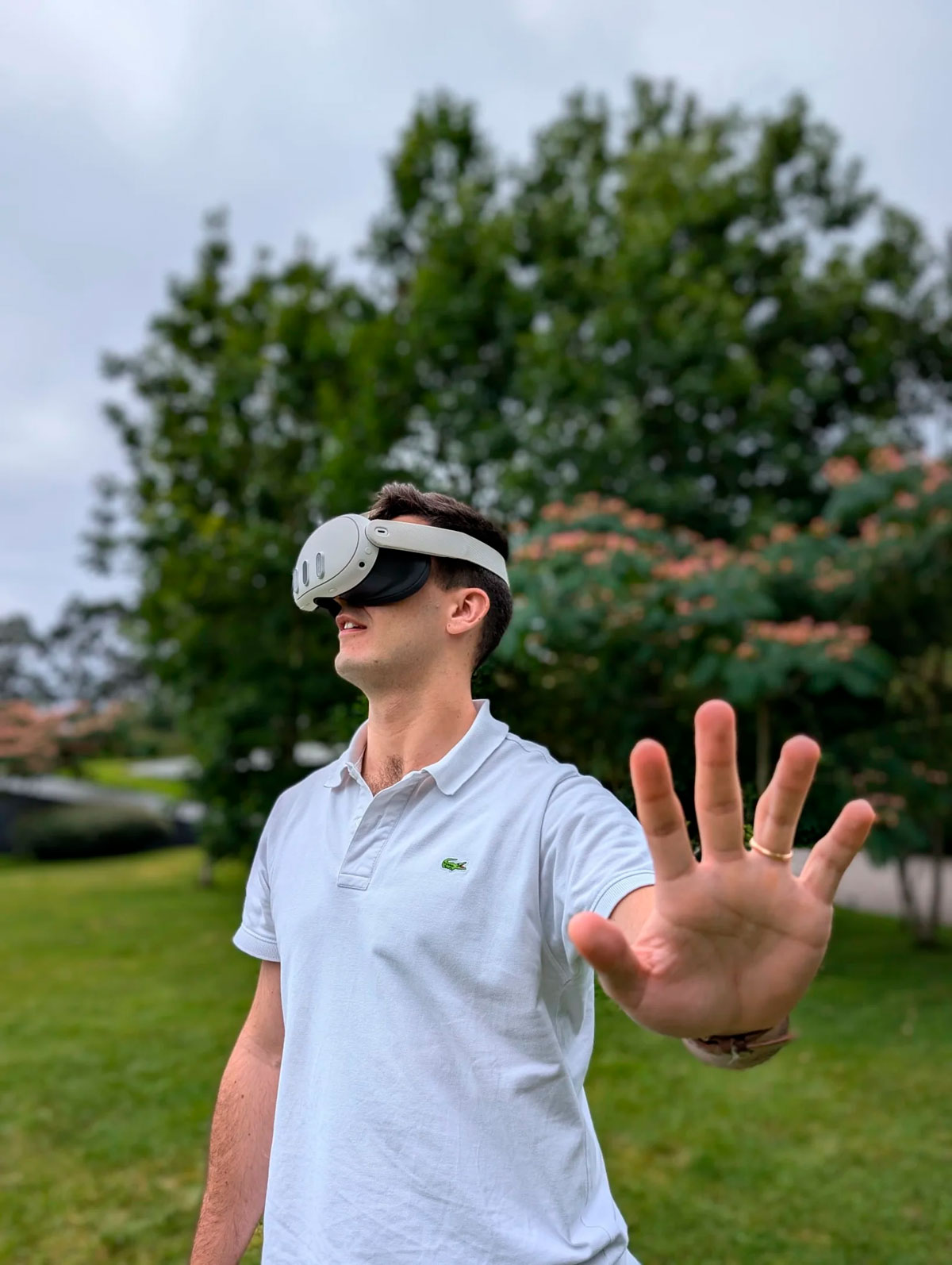
The outdoor deployment introduced field engineering requirements not present in controlled indoor VR deployments:
Headset provisioning. The exhibition operated a fleet of Meta Quest headsets on a rotation — visitors use headsets for a session, then headsets are cleaned, recharged if necessary, and re-provisioned. Maedcore implemented a device management workflow using Quest’s MDM (Mobile Device Management) tools to push application updates across the fleet without individual device interaction.
Battery management. Meta Quest battery life under active VR use is approximately 2 hours. The exhibition ran 6-hour daily sessions. Maedcore calculated the minimum fleet size required to maintain continuous session availability with charging rotations, and implemented a charging state tracking system to prevent headsets with insufficient charge from being issued to visitors.
Ambient light management. Outdoor ambient light reduces VR headset display contrast. Maedcore configured the exhibition schedule to minimise direct sun exposure windows and prepared a venue positioning plan that placed the headset usage area in partial shade during peak hours.
Connectivity-free operation. The application runs fully offline on the Quest hardware — no network connection required for any VR environment. The only networked operations are device management (MDM updates) and optional session logging. This ensured no dependency on venue WiFi infrastructure.
Performance Results
| Metric | Result |
|---|---|
| Number of VR environments | 9 (from 6 independent artists) |
| Target frame rate | 72 fps sustained on Meta Quest |
| Frame rate achieved | 72 fps sustained in all 9 environments |
| Average texture VRAM reduction | 65% across all environments (vs. source assets) |
| Navigation success rate | All public visitors navigated between worlds without operator assistance |
| Fleet uptime during exhibition | No unplanned service interruptions during public hours |
Technology Applications
The VR systems engineering capabilities demonstrated in this project apply directly to enterprise and industrial VR deployment contexts:
Industrial training simulations. Multi-environment VR platforms for skills training, safety induction, and equipment operation require the same performance engineering, UX design for non-technical users, and fleet deployment management as this project.
Remote site VR tours. Virtual walk-throughs of facilities, construction sites, or remote infrastructure require the same asset integration pipeline and standalone headset deployment methodology — often with assets delivered by multiple teams in different tools.
XR onboarding systems. Employee onboarding and compliance training in VR requires the same session management, non-technical UX design, and fleet provisioning workflow developed for this deployment.
Multi-location VR rollouts. Organisations deploying VR across multiple sites face the same device management, application update distribution, and battery logistics challenges Maedcore solved here at the single-venue scale.
Technologies Used
Project developed with: VR Systems Engineering — Meta Quest — Standalone XR — 3D Environment Optimisation — ASTC Texture Compression — LOD Systems — Baked Lighting — UX Design for VR — Mobile Device Management — Field Deployment
Building a VR Application for Standalone Headsets?
Maedcore delivered a production-ready 9-environment VR platform on Meta Quest — performance-optimised, user-tested with non-technical users, and field-deployed in an uncontrolled outdoor environment. If you need VR systems engineering for training, simulation, product visualisation, or any standalone XR deployment, request a technical consultation.
Request VR Consultation | View Immersive Experience Services | See All Success Stories
Further Reading
Further reading: inside an open-air virtual museum project and how virtual reality is being applied across industry.
About the Author
Eduardo Fuentevilla Blanco
Robotics Engineer
For over a decade, I have been driven by a single mission: leveraging AI and robotics to build a world of automated production. I believe that by creating self-sufficient systems, we can empower people to refocus on what truly matters—their families and their passions. My expertise spans from winning prestigious European startup competitions to architecting complex, integrated hardware and software projects. I specialize in bridging the gap between today's industrial challenges and tomorrow's autonomous solutions.
Ready to transform your company?
Book a free 30-minute meeting with an engineer.